
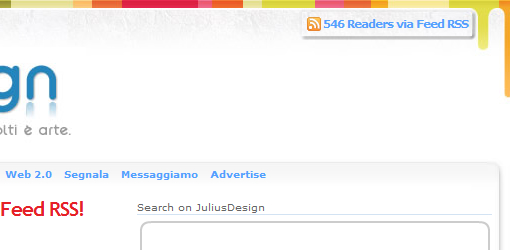
Oggi vedremo come visualizzare in PHP il numero dei lettori che ci seguono via Feed Rss tramite FeedBurner

Per ottenere il numero dei lettori via Feed useremo le API (supportate da hosting PHP5) rilasciate da FeedBurner leggendo al volo un file XML riferito al nostro account
Ecco il codice PHP da inserire nel punto in cui vogliamo visualizzare il numero dei Lettori via Feed RSS
<?php

 // Set the output readers_count

$readers_count = " [COUNT] Readers via Feed RSS";

 // Get feedburner count (Change 'juliusdesign' to own feedburner name)

// Load Feedburner Awareness

$xml = simplexml_load_file

("http://api.feedburner.com/awareness/1.0/GetFeedData?uri=juliusdesign")

or die ("Unable to load XML file!");

 // Load Count Readers by Feed Rss

$circulation = $xml->feed->entry['circulation'];

 // Replace the [COUNT] in the readers_count with feedcount

$readers_count = str_replace("[COUNT]", $circulation , $readers_count);

 // Stamp the Number

echo($readers_count);

?>
La variabile $readers_count contiene il messaggio da visualizzare con il numero [COUNT] dei lettori via Feed RSS
Ora vediamo insieme lo stesso script PHP, ma con la possibilità di rendere Random il messaggio da visualizzare
<?php

//Write an Array

$message_feed = array (

"Ho [COUNT] Readers via Feed RSS.",

"Abbonati con i miei [COUNT] Readers via Feed RSS.",

"Il mio blog ha [COUNT] lettori via Feed RSS.",

"Se ho [COUNT] lettori via Feed RSS ci sarà un motivo no?"

);

 // Randomize the array

shuffle($message_feed);

 // Set the first output readers_count

$readers_count = $message_feed[0];

 // Get feedburner count (Change 'juliusdesign' to own feedburner name)

// Load Feedburner Awareness

$xml =   simplexml_load_file

("http://api.feedburner.com/awareness/1.0/GetFeedData?uri=juliusdesign")

or die ("Unable to load XML file!");

 // Load Count Readers by Feed Rss

$circulation = $xml->feed->entry['circulation'];

 // Replace the [COUNT] in the readers_count with feedcount

$readers_count = str_replace("[COUNT]", $circulation , $readers_count);

 // Stamp the Number

echo($readers_count);

?>
Per creare vari messagi in modo Random viene creato un Array message_feed in cui inserire i vari messaggi, e inseguito viene “randomizzato” tramite uno shuffle


7 Commenti
Non sapevo che rilasciasse delle API anche feedburner (non ho mai guardato..)
Ottimo post julius ;)
Lo inserirò nella prossima versione del mio sito! Sei Grande!!! :-)
Wow Figata!
Sarebbe meglio specificare che lo script indicato funziona solo su hosting PHP5, simpleXML è infatti disponibile solo dalle versioni 5.x del linguaggio :)
Alternative?
Qui, ma lo script deve essere modificato di conseguenza.
Grande Julius e ottimo link Napolux!
Qualche tempo fa ero alla ricerca di “qualcosa” per passare il contatore su hosting PHP4 (il codice di cui sopra si incriccava come detto) e voilà! :)
Mi guarderò meglio il tuo link e vediamo cosa ne salta fuori sulla base di quanto detto da Julius!
CHROME???
E’ FIGO!!!!
NIENTE ARTICOLO JULIUS???
aRq
@aRq, chrome è partito bene, ma ha subito inciampato, (Leggi la news). Spero solo che a noi webmaster non ci complichi la vita ;-)